
 Discord
AutoDung — a Metin2 dungeon bot
Build a dungeon scenario from ready-made steps and AutoDung runs it floor by floor, re-enters and repeats the run as many times as you set. It works by analysing the screen, without touching the game client's files.
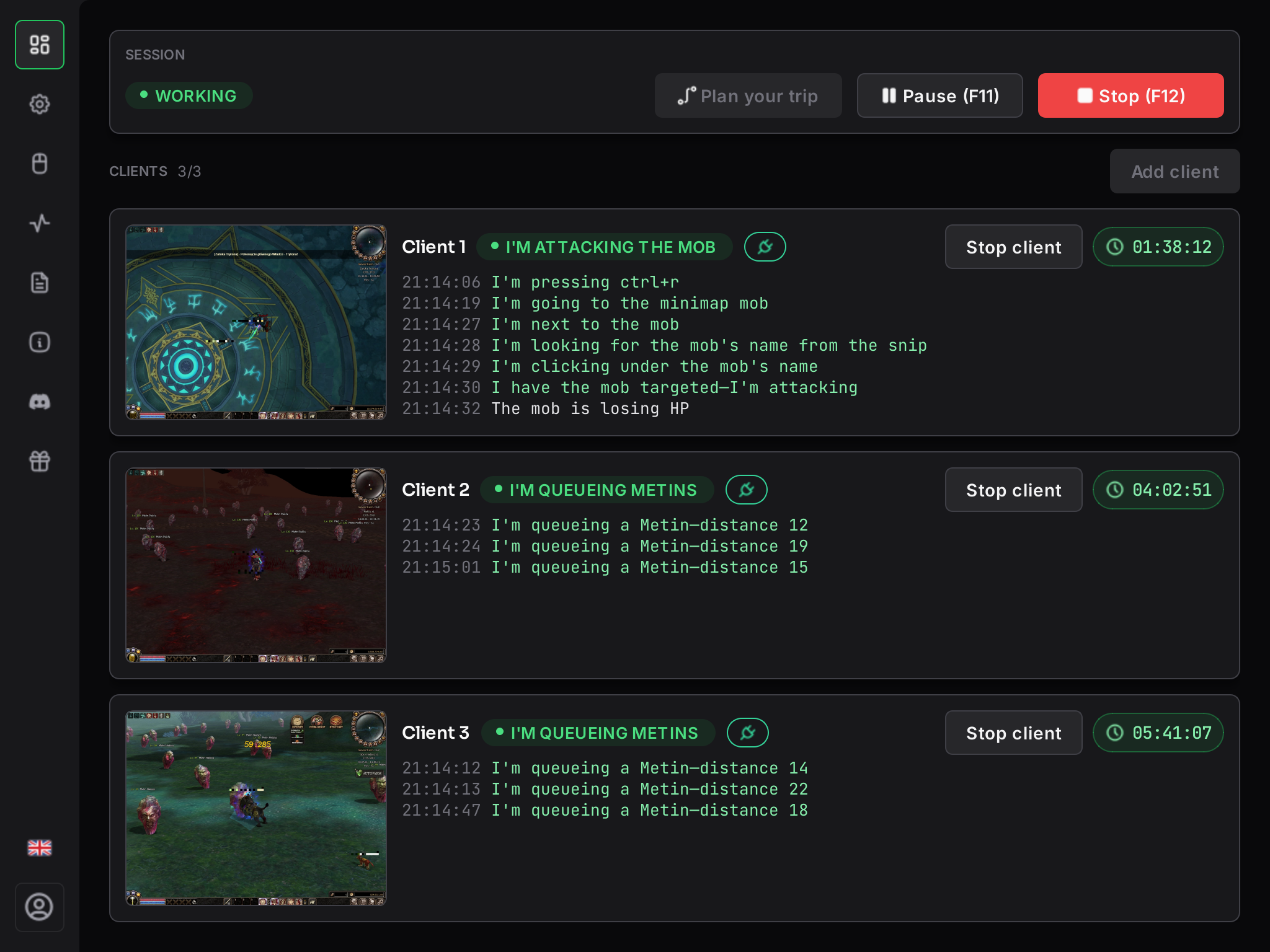
How AutoDung works
Build the dungeon run once; the bot repeats it for you.
You build a scenario
In the editor, add floors and steps from a ready-made list. No scripts, no code.
The bot clears the floors
Runs the steps in order: fights mobs in place, walks to a minimap mob, attacks the boss from its name snip.
Re-enters
After a run it presses your shortcut or clicks a button from a snip and starts the dungeon again.
Repeats and stops
Does as many runs as you set in repetitions, then finishes work on its own.
A dungeon scenario from ready-made steps
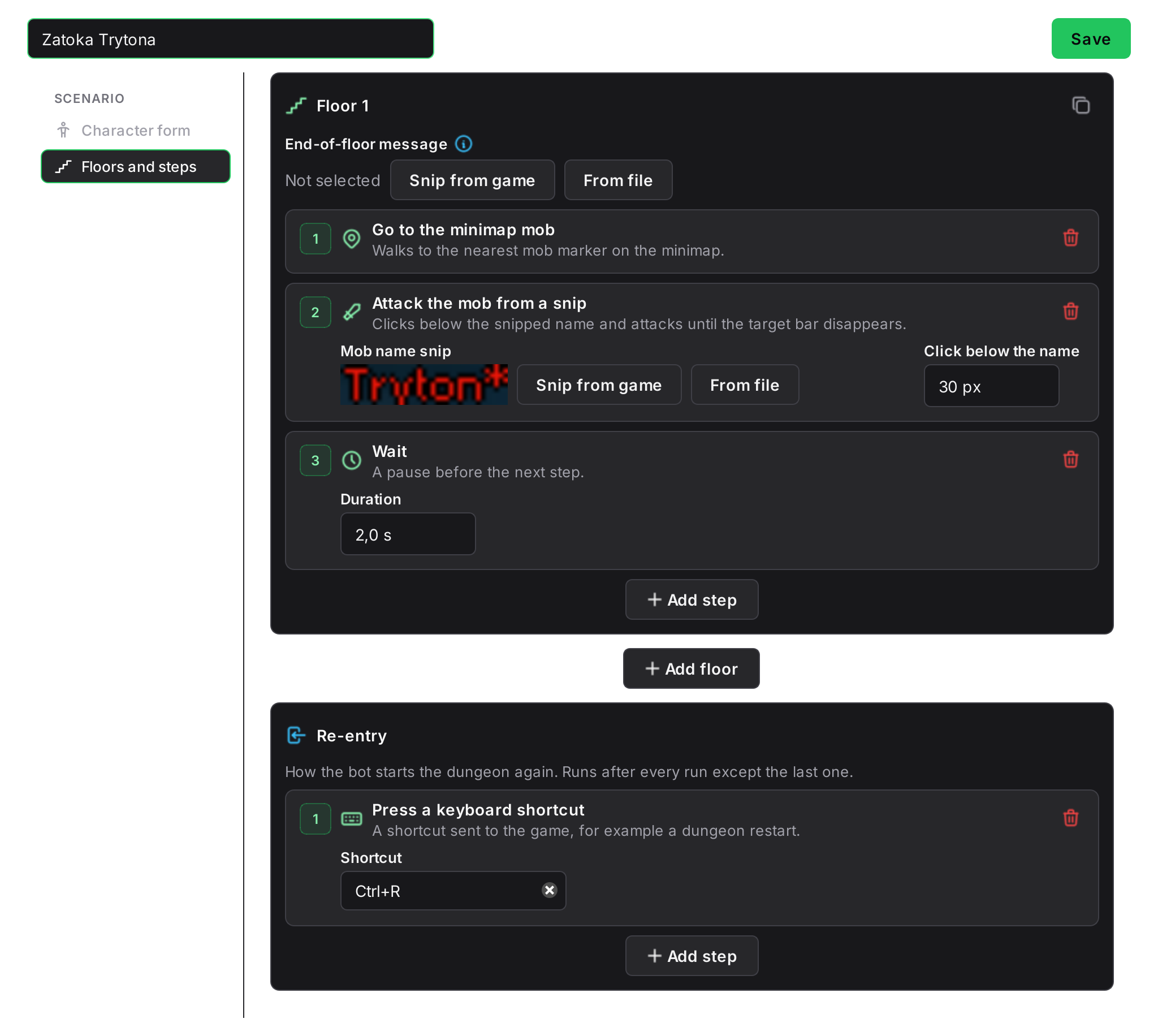
The scenario editor shows the whole dungeon on one screen. Reorder steps and floors by dragging them.
- 1
Floors
Each floor has its own list of steps. Duplicate a floor or move it by dragging.
- 2
Steps
Walking to a minimap mob, attacking the boss from a snip, waiting for the drop. Each step has its own settings.
- 3
Mob name snip
Snip the boss's name from the game; the bot finds it on screen and attacks exactly that mob.
- 4
Re-entry
A keyboard shortcut or a button from a snip. It runs after every run except the last one.
What AutoDung can do
Steps to choose from, and everything a character needs to clear a dungeon many times in a row.
Step library
Go to a minimap mob, attack a mob from a snip, hold space, AutoHunt, follow a route, destroy metins, wait, click a button, press a shortcut.
On foot, on a mount or as a marble
Choose the form the character runs the dungeon in. The bot renews the marble on its own on a timer.
Metins in the dungeon
The “Destroy metins” step walks the character to metins at saved coordinates and breaks them one by one.
Skills before each floor
Uses skills on your cooldowns and refreshes buffs before every floor.
Drop
Picks up the drop after a fight and checks that the inventory still has room.
After a death
Gets up, prepares the character again and repeats the step it died on.
Servers where AutoDung works
AutoDung is CleoBot's newest mode. We roll it out server by server — the list shows where it already works and where it's in progress.








Pair AutoDung with the rest of CleoBot
Dungeons alternating with farming or leveling, on a plan and with a view from your phone.
AutoDung questions
What players ask most before their first dungeon with the bot.
Which servers does AutoDung work on?
Currently Glevia2 Farm and iMedium. On more servers the mode is being rolled out — the server list above shows the current state.
Will there be ready-made dungeon scenarios?
Yes, ready-made scenarios are planned and coming soon. Until then you build the scenario yourself in the editor, from ready-made steps — and can fit it to your own character.
Does the bot enter the dungeon by itself?
You do the first entry yourself: the bot starts once the character is already inside. Further entries follow the “Re-entry” section — a keyboard shortcut or a click on a button from a snip.
What happens when a step fails?
The bot ends the session and logs which step on which floor failed. A character death doesn't end it: the bot gets up and repeats that step.
Why is AutoDung marked BETA?
It's CleoBot's newest mode and still in active development: new steps and more servers are coming. The label goes once the mode is proven on a wider range of dungeons.