
 Discord
BuffBot — a Metin2 buff bot
Run two clients: one character levels, the other buffs it. BuffBot follows its partner, joins its channel and casts buffs on the cooldowns you set. It works by analysing the screen, without touching the game client's files.
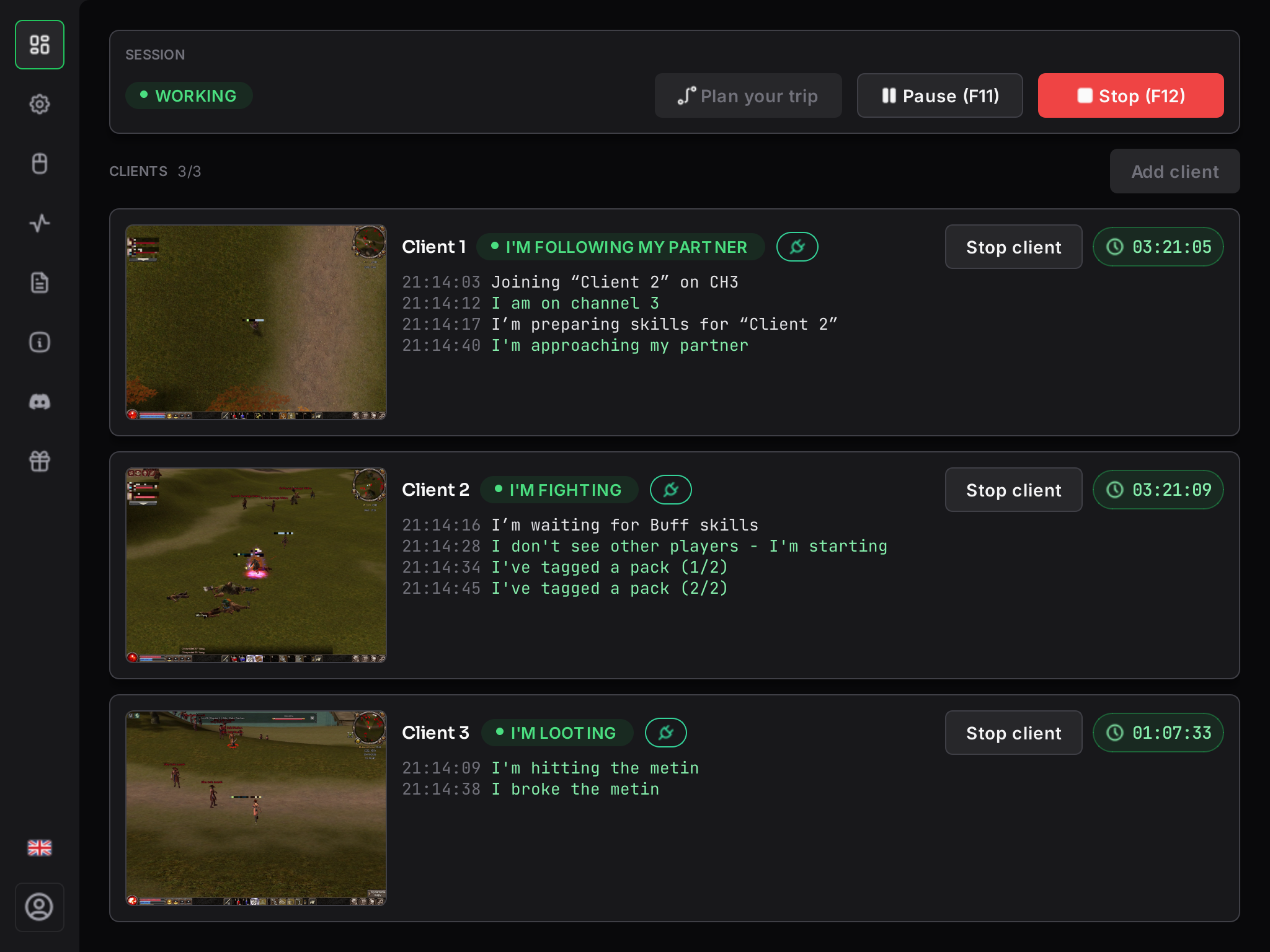
How BuffBot supports your character
A pair of clients on one PC: one levels, the other makes sure the buffs never drop.
You link a partner
In the buffer's settings, pick the client that levels on the same server. That's all the targeting setup.
Joins the partner's channel
Reads the partner's channel and moves to the same one. When the partner switches, the buffer follows.
Casts buffs
Selects the partner by its nickname and casts skills: all of them at the start, then each on its own cooldown.
Stays close
Follows the partner around the spot and walks closer when it's too far to cast a buff.
Who BuffBot buffs
The buffer's partner is a character leveling in one of two modes. That decides how the buffer moves.
AutoHunt
The partner walks the spot hunting mobs; the buffer follows it and keeps the buffs up.
- Follows the partner across the whole spot
- Waits at the spot while the partner goes to town
- The partner never mistakes the buffer for a mob
Passive Exp
The partner holds position and fights from the mount, so the buffer doesn't chase it during combat.
- Walks up only to cast buffs
- Stays out of the partner's way in combat
- On maps without coordinates, buffs in place
Buffs are set up like regular skills
A key, a cooldown, done. Pick the partner with one click on the Buff tab.
- 1
Buff partner
Pick an AutoHunt or Passive Exp client on the same server. The bot learns its nickname by itself.
- 2
Buff keys
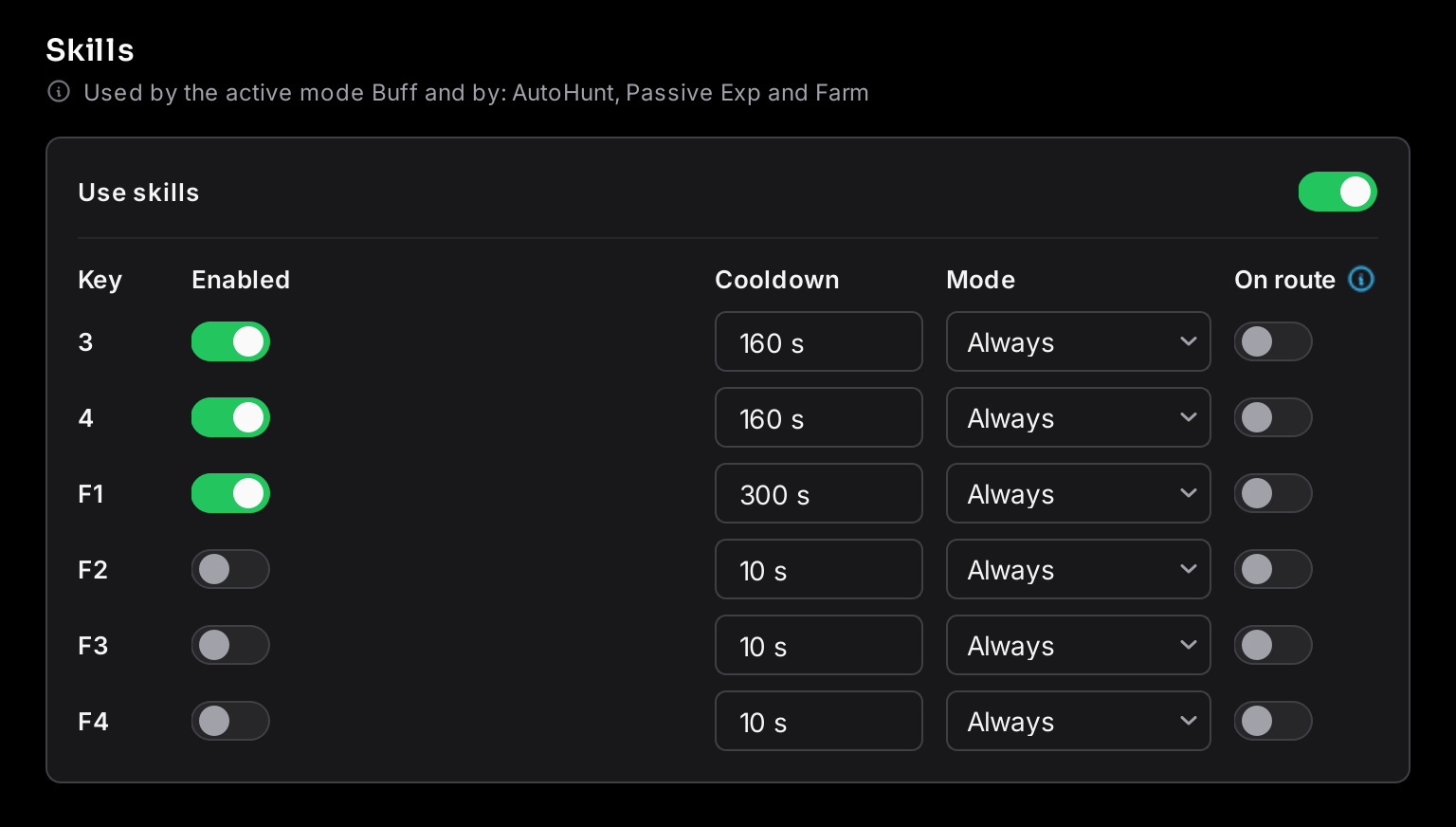
Turn on the skills the buffer should cast: keys 3, 4 and F1–F4 on the bar.
- 3
Cooldown
Each buff has its own cooldown. The bot casts it again once that time is up.
- 4
Buffs on start
When the partner starts working or comes back after a relog, the buffer casts every enabled buff right away.
Takes care of itself, like its partner
The buffer has to survive at the spot too. BuffBot handles its own business without your help.
Potions
Drinks red and blue potions below your threshold and refills the bar from the backpack. It doesn't buy potions — you stock it up.
Getting up after death
Respawns by itself, resets the camera and returns to the partner.
Auto-login
After a disconnect it logs back in and resumes buffing, if automatic login is on.
EXP to guild
Donates earned EXP to the guild so the buffer doesn't gain unwanted levels. Not available on Projekt Hard.
Private messages
Replies to whispers with AI or forwards the conversation to Discord.
Stops with its partner
When the partner stops working, the buffer stops too. It also stops if the two characters end up on different maps.
Servers where BuffBot works
CleoBot is tuned to each of these servers separately. Both characters in the pair have to play on the same server.






Pair BuffBot with the rest of CleoBot
The buffer works in a pair, so it's best to plan both clients together.
BuffBot questions
What players ask most before running a buffer for the first time.
Does BuffBot work on its own?
No. BuffBot always works in a pair: you need a second client on the same PC and server, in AutoHunt or Passive Exp mode. You can run up to three clients in total.
Can I buff a character running FarmBot?
No. The buffer's partner can only be a character leveling in AutoHunt or Passive Exp mode.
How does the bot know whom to buff?
You pick the partner in settings. The bot learns the partner's nickname, selects it on screen and only then casts the skills. It doesn't buff other players.
Does BuffBot buy potions?
No. It drinks potions and refills the bar from the backpack, but doesn't ride to town to buy more. When potions run out, it stops.
Which servers can I use BuffBot on?
The ones listed above. Both characters in the pair have to play on the same server.